

Your travel photos become a map, a route and a video.
Backtrack is an iPhone app that organizes your travel photos: it finds each trip in your library, shows the photos on a map and turns the route into a video.
Coming soon to the App Store · iPhone with iOS 26 or later
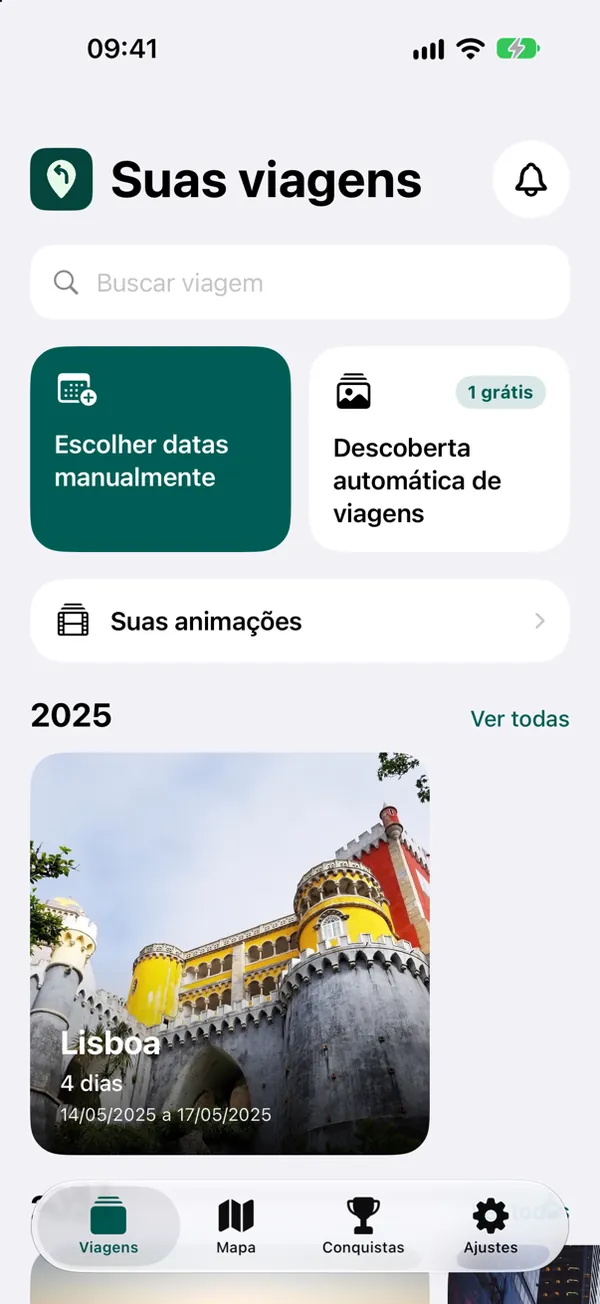
The app finds your trips among your photos.
Your iPhone stores the date and place of every photo. With that and your home city, Backtrack sorts out the periods you were away.
One tap and the trip appears.
On the home screen, tap Automatic trip discovery. The free plan reveals one trip automatically; Premium reveals them all. Prefer to pick? Choose the dates manually.
The trip comes already built.
Your photos become stops on a map, organized by day, with the places and statistics of the trip. The originals stay untouched in the Photos app.
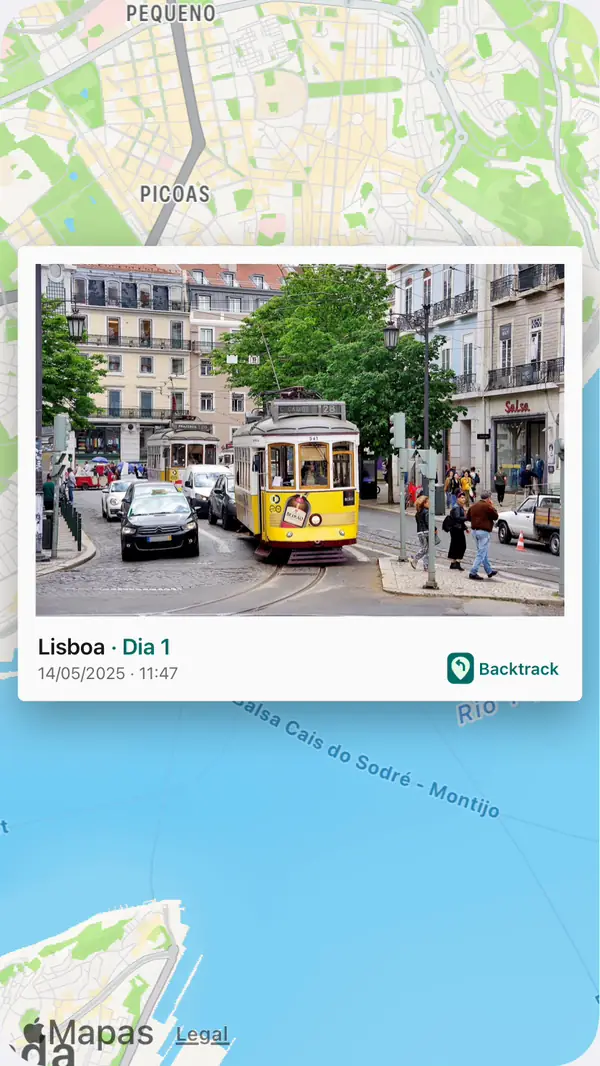
Your route is redrawn on the map.
The animation travels the path between places and shows, at every stop, the photos you took there.
On foot, by car, by boat or by plane.
Each leg uses the most likely way of getting there, and you can correct it in Segments. When no known route exists, the leg shows as an approximate route.
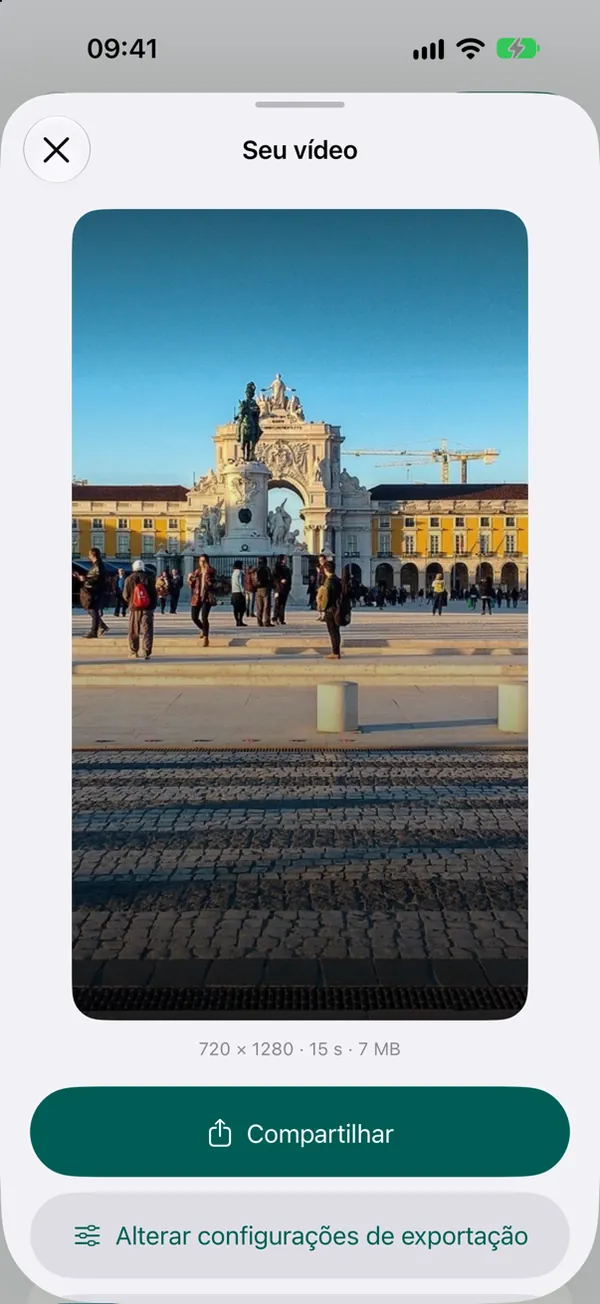
And becomes a video for social.
MP4 in 9:16 for Stories, Reels and TikTok, 3:4 for the Instagram feed, or 1:1, 4:3 and 16:9. The video is saved to your library.
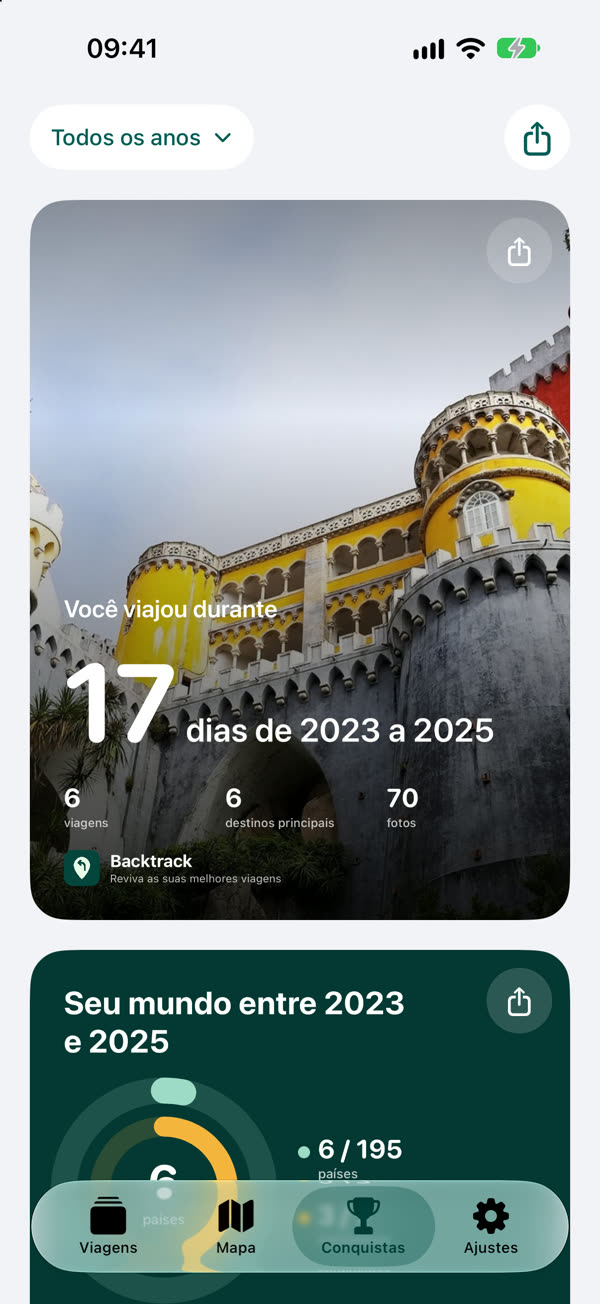
Achievements
The Achievements tab adds up your days traveled, the countries and continents you visited, your milestones, a travel calendar and a collection of flags. Every card becomes an image to share.
Features
Automatic discovery
Finds forgotten trips in your library, told apart from everyday life by your home city.
Live trips
Traveling right now? The app notices new photos away from home and suggests the trip. iOS decides when this happens and may skip nights.
Animated route
An animation travels the path between places and shows the photos of each stop.
Videos for social
9:16 for Stories, Reels and TikTok, 3:4 for the Instagram feed and 1:1, 4:3 or 16:9 for everything else.
Achievements
Days traveled, countries and continents, milestones, a travel calendar and flags, as cards to share.
Reminders
On your trip anniversaries and when your video is ready.
At a glance
- What it is
- An app that turns geotagged photos into trips to explore on a map, relive as an animation and share as a video.
- How it works
- The app finds trips in your library based on your home city, or you pick the dates. Photos become stops joined by a route.
- Videos
- MP4 in 9:16, 3:4, 1:1, 4:3 or 16:9. The length adapts to the route and the photos you pick.
- When to use it
- After the trip, with photos from any time, or during it, with live trips.
- Devices
- iPhone with iOS 26 or later.
- Languages
- English, Portuguese and Spanish.
- Status
- Being prepared for the App Store. Plans and prices will be announced at launch.
Not a tracking app
Apps that track your route have to be running during the trip. Backtrack starts from the photos you already took.
| Backtrack | Tracking apps | |
|---|---|---|
| When to use it | After the trip, or during it without turning anything on | During the trip, with recording on |
| Old trips | Yes, from any time in your library | Only trips the app recorded |
| While traveling | Nothing to do: use your camera as usual | Remember to start and keep recording |
Guides
How to make a travel map video with your route and photos
Step by step: create an animated video of your trip route on iPhone from your photos, covering location, route, length, format and sharing.
How to find old trips in your iPhone photos
How to rediscover and organize old trips from your iPhone photos using the date and location stored in each photo.
How to see your photos on a map on iPhone
Where the photo map is on iPhone, how to see where a photo was taken and how to see the photos of each trip, day by day, on a map.
How to track the countries you have visited using your photos
A map of the countries you have visited without manual check-ins: trips come from your iPhone photos and the app counts countries, continents and flags.
How to organize travel photos on iPhone
How to separate the photos of each trip on iPhone: albums and place search in the Photos app, or an app that organizes trips by date and location for you.
Frequently asked questions
What is Backtrack?
Backtrack is an iPhone app that rebuilds trips from the geotagged photos in your library. It finds the trips, shows the stops on a map, animates the route between places and exports videos to share.
How do I make a video of my travel route from my photos?
In Backtrack, open the trip and tap Create animation. Pick one day (the entire trip is part of Premium), select the photos for each stop and generate the animation. Then tap Export and choose the format: the MP4 is saved to Photos.
Do I need to use the app during the trip?
No. Backtrack reads the date and place the iPhone already stores in photos when Camera location is on, so it works days or years later. If you like, live trips notice a trip under way and suggest creating it.
Does it work with old trips?
Yes, as long as the photos have a location. Tap Automatic trip discovery to let the app look for the periods away from your home city, or use Choose dates manually.
How is Backtrack different from apps like Polarsteps or Relive?
Polarsteps records your route while you travel, and Relive makes videos from recorded activities. Backtrack starts from the photos you already have: nothing to record in advance, and it also works with old trips.
Which video formats and lengths are available?
Videos export as MP4 in 9:16, 3:4, 1:1, 4:3 and 16:9. The length is worked out from the route and the photos you pick: up to 30 seconds in 720p on the free plan, and longer videos in 1080p and 60 fps with Premium.
What do the Achievements show?
Days traveled, photos, countries and continents visited, favorite destinations, your longest trip, milestones, a travel calendar and a collection of flags, filterable by year with shareable cards.
Which devices and languages are supported?
iPhone with iOS 26 or later, in English, Portuguese and Spanish.
Which app makes a travel video with the route on a map?
Backtrack, for iPhone. It uses the location in your photos to draw the route between places and exports an MP4 with an animated travel map and the photos of each stop: 9:16 for Reels, Stories and TikTok, 3:4 for the feed, or 1:1, 4:3 and 16:9.
How do I see my trip photos on a map?
In the iPhone Photos app, open Collections, scroll to Utilities and tap Map to see your geotagged photos. In Backtrack, every trip already shows its photos by day on a map, and the Map tab shows all your trips on a world map, grouped by city.
Is there an app to track the countries I have visited?
Yes. In Backtrack, the Achievements tab counts the countries and continents of your saved trips and builds a flag collection without manual check-ins: the countries come from your photos' locations. Every achievement becomes a card to share.
How do I organize travel photos on iPhone?
Backtrack separates the photos of each trip by date, place and your home city and keeps your trips by year, without moving or deleting anything in the Photos app. Without another app, you can make one album per trip in Photos and search by city name.
Is Backtrack a travel journal app?
It is a travel journal made from your photos: each trip becomes a record with days, places, a map and statistics, with nothing to write. The app has no field for text entries or notes.
How much does Backtrack cost?
Backtrack will have a free plan and Premium. Prices will be announced on this website at launch.
Where can I download Backtrack?
Backtrack is being prepared for the App Store. The official link will be published on this website when the app is available.
Backtrack
Relive your best trips
Coming soon to the App Store
To hear about the launch, write to us.
Get in touchsuporte@backtracktrips.com
The screens on this page are captures of the app with example trips and public-domain photos, shown in Portuguese. Updated September 26, 2026.